Change Points Order
This function will change points order for active paths. Point order is important for Wrap and De-perspective functions: they define how warped image is going to be rotated in perspective. Points usually go clock-wise, from top left corner to bottom-left: first point is associated with top left corner of a layer, second — with top right corner, third is bottom right point and fourth is bottom left.
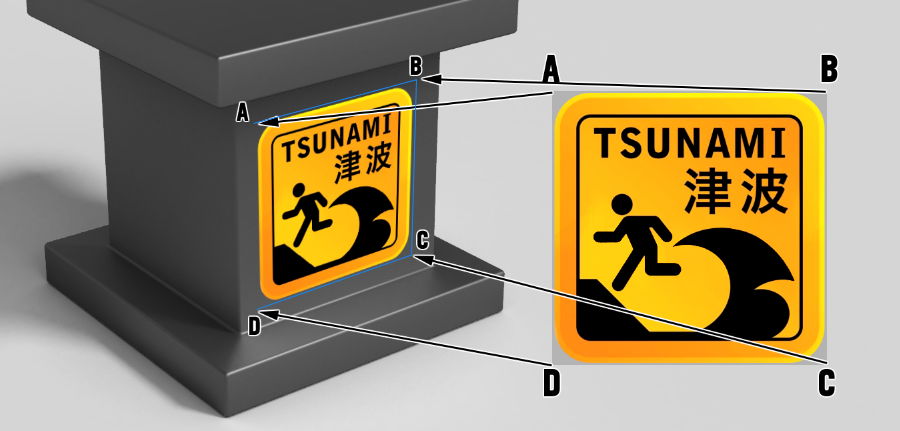
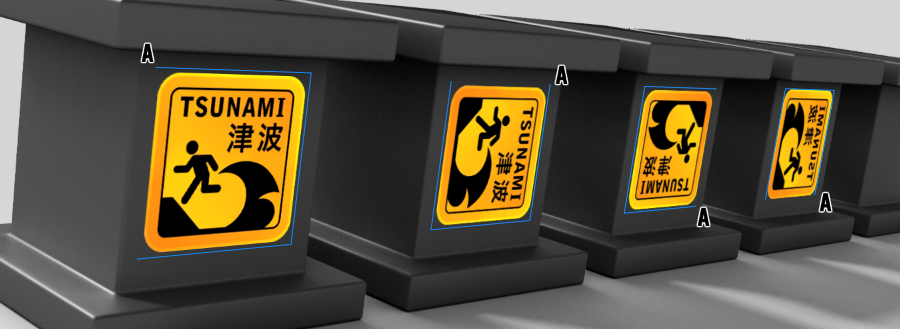
Notice how this sign is rotated depending on which point in quadrange was placed first. Also notice that the last sign is mirrored: points were placed in counter-clock order.
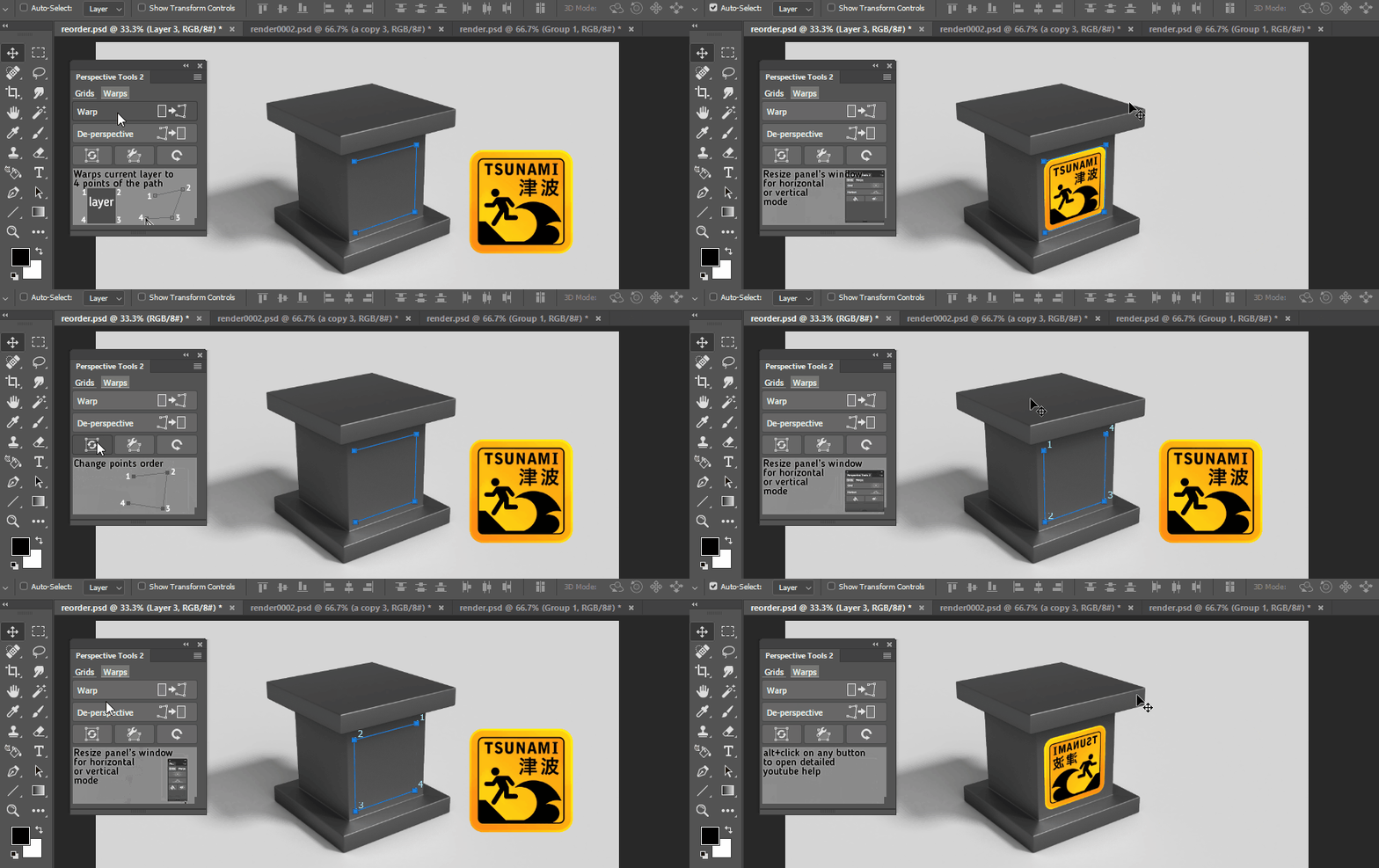
Reordering points CW
- Hit
Change Orderbutton - Points order will shift clockwise
- New points order will be displayed for a moment
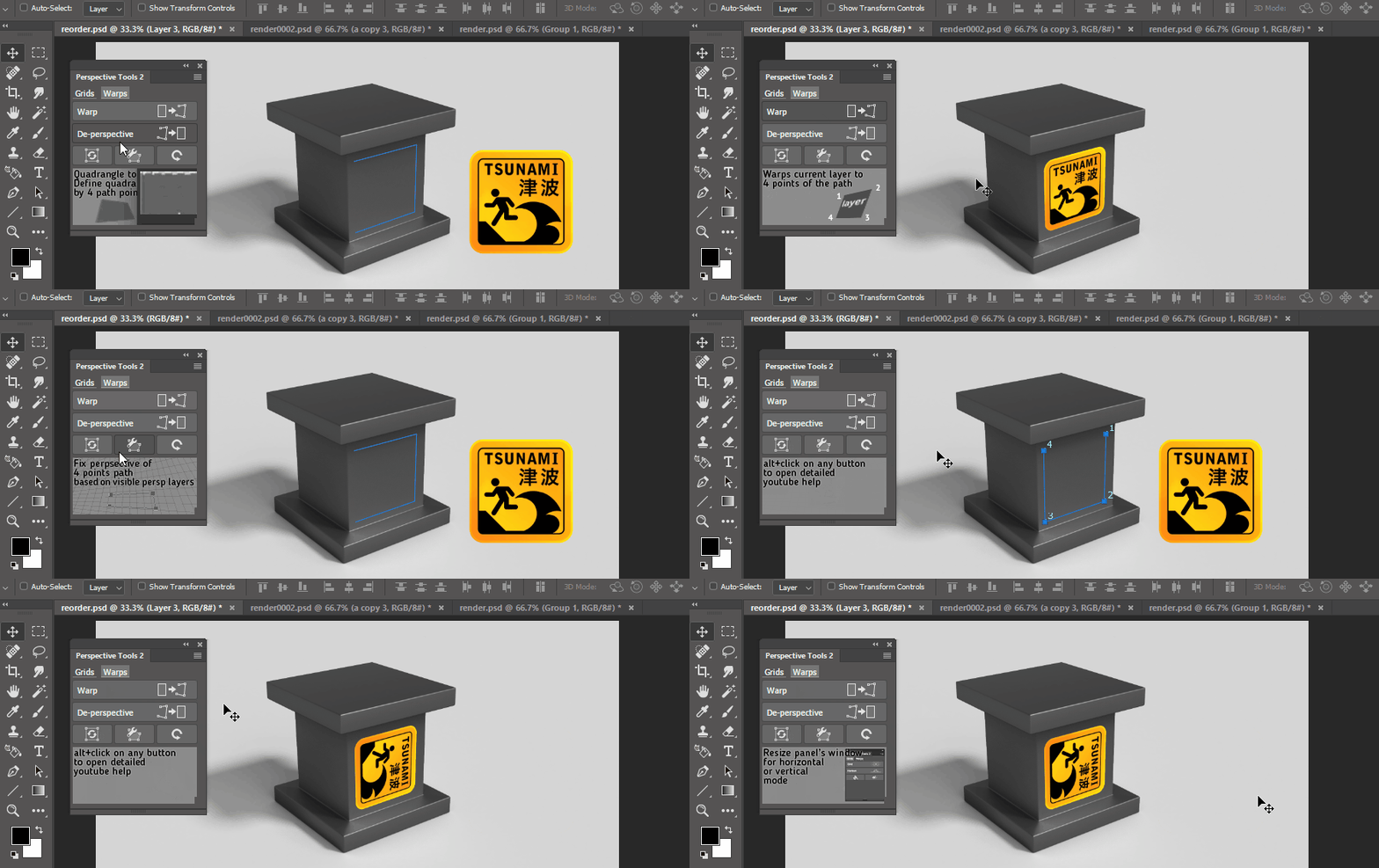
Reordering points CCW
- Hold
Ctrl/Cmdwhen hittingChange Orderbutton - Points order will shift counter-clockwise
- New points order will be displayed for a moment
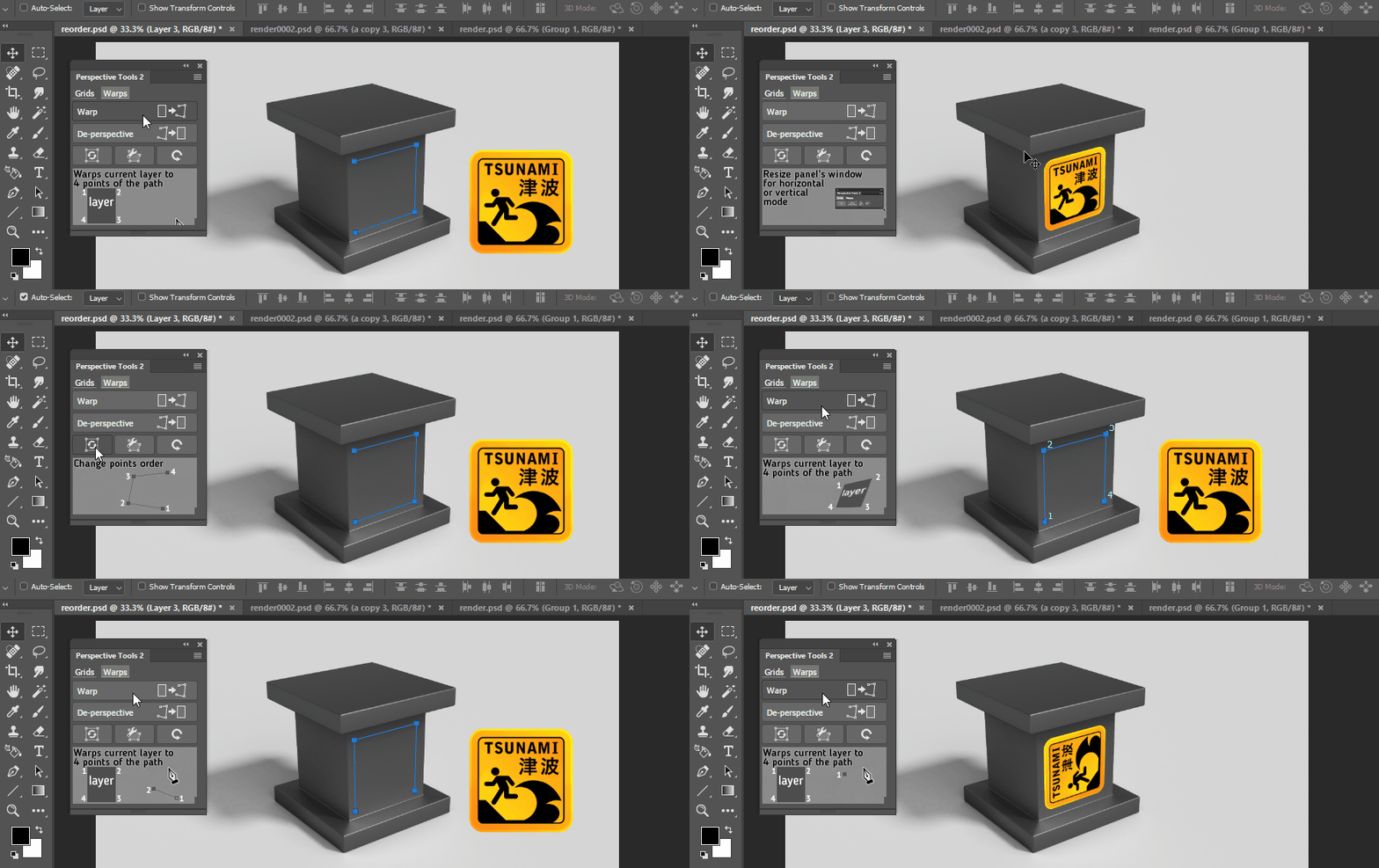
Mirroring points
- Hold
Shiftwhen hittingChange Orderbutton - Points order will change direction
- New points order will be displayed for a moment